Already on AUREUM?

FEATURESAUREUM POS & INVENTORY

AUREUM Features

Everything on this page is in the AUREUM application today.

01 / POS CHECKOUT

POS Checkout

A fast, touch-friendly till that works on a phone, tablet or laptop — and keeps selling when the internet drops.
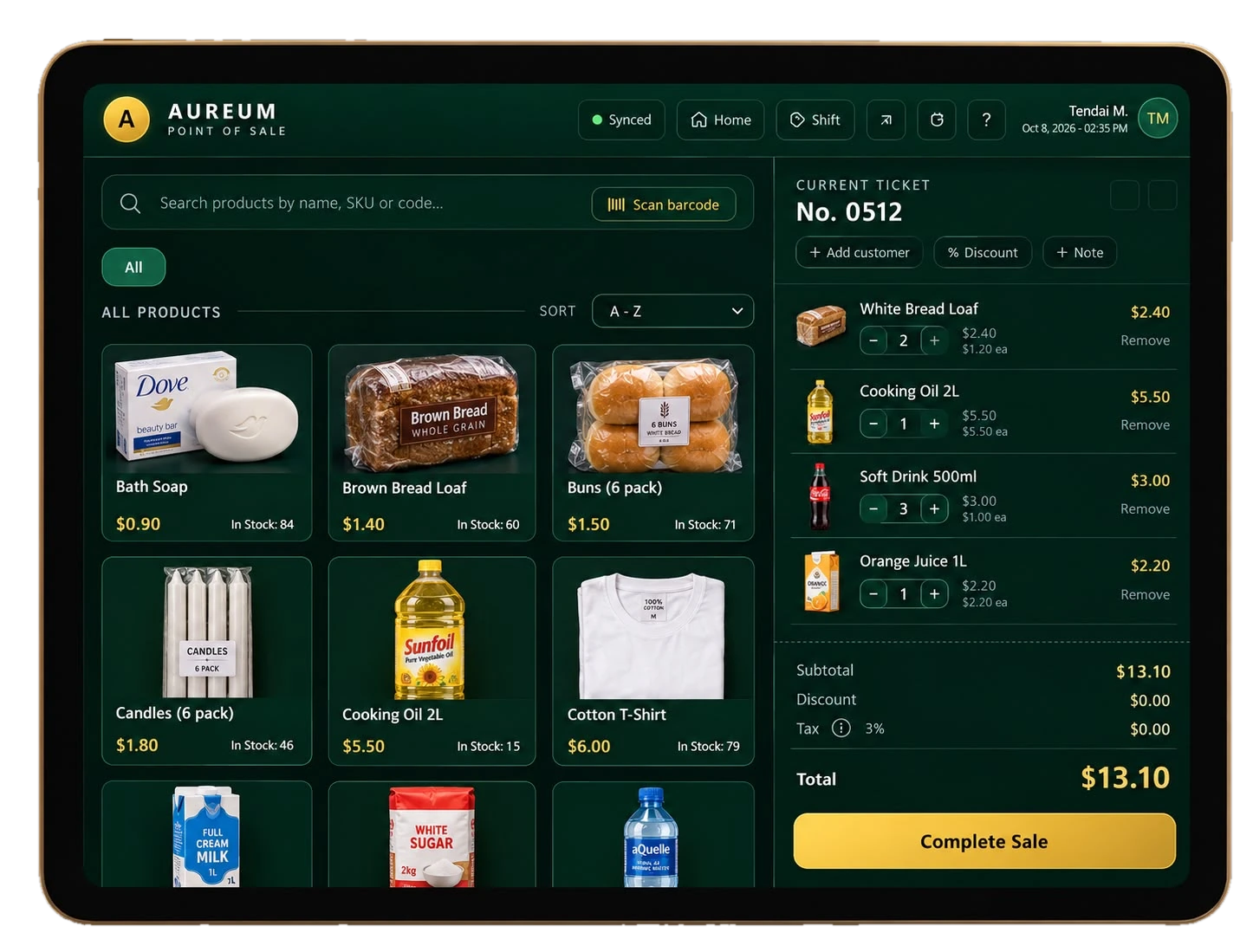
  • Tap products or search by name, code or barcode
  • Percent or amount discounts, with cashier permissions you control
  • Add a customer or a note to any sale
  • Record cash, card, mobile money or other payments, with change calculated for you
  • Sales made offline are saved on the device and sync automatically
The AUREUM POS checkout on a tablet: a product catalogue with pictures, names and prices beside the current ticket and a Complete Sale button.
02 / DASHBOARD & REPORTS

Dashboard & Reports

See how your business is doing — for one shop or all of them.
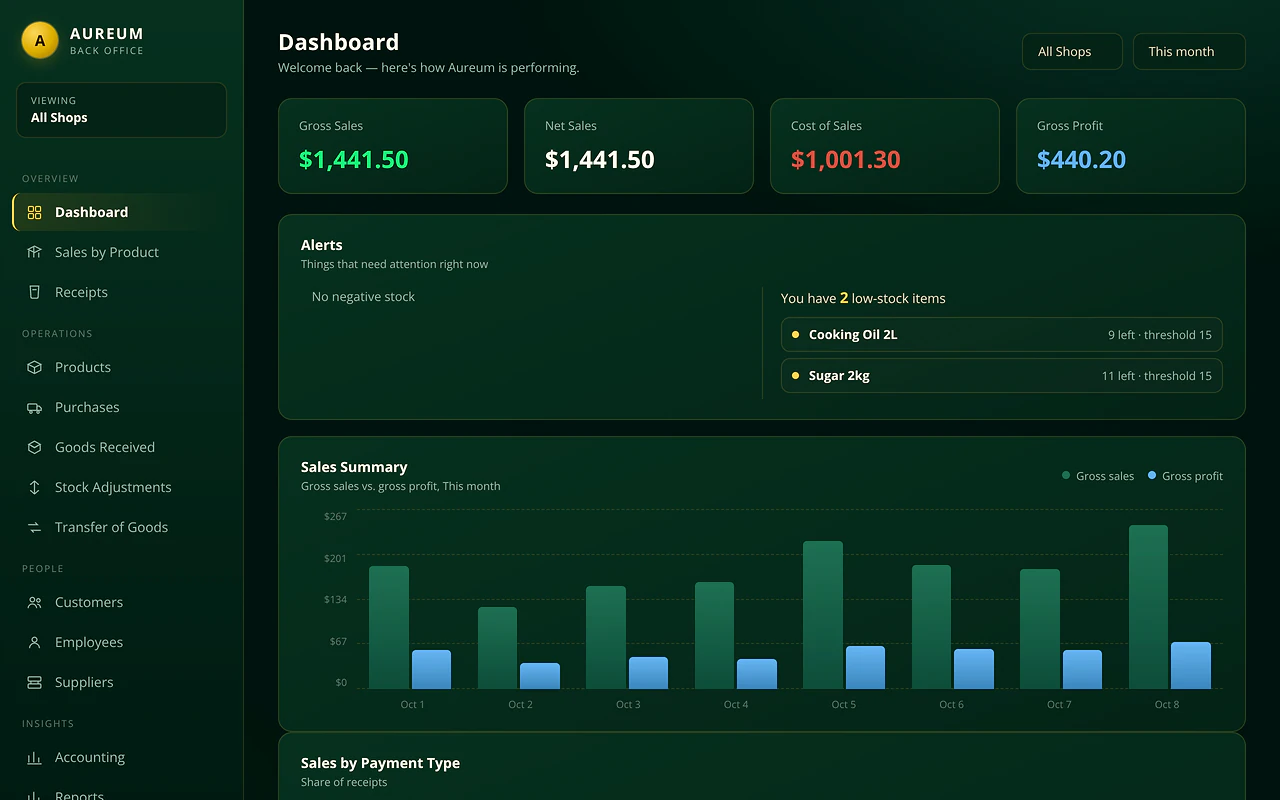
  • Gross sales, net sales, cost of sales and gross profit
  • Low-stock and negative-stock alerts
  • Sales by payment type, by employee and by product
  • Reports for inventory, stock value, low stock, staff and shifts
  • An income statement with expenses; export lists to CSV, Excel or PDF
The AUREUM Back Office dashboard showing gross sales, net sales, cost of sales, gross profit, stock alerts and a sales summary chart.
03 / RECEIPTS & REFUNDS

Receipts & Refunds

Every sale gets a receipt, and mistakes can be put right accurately.
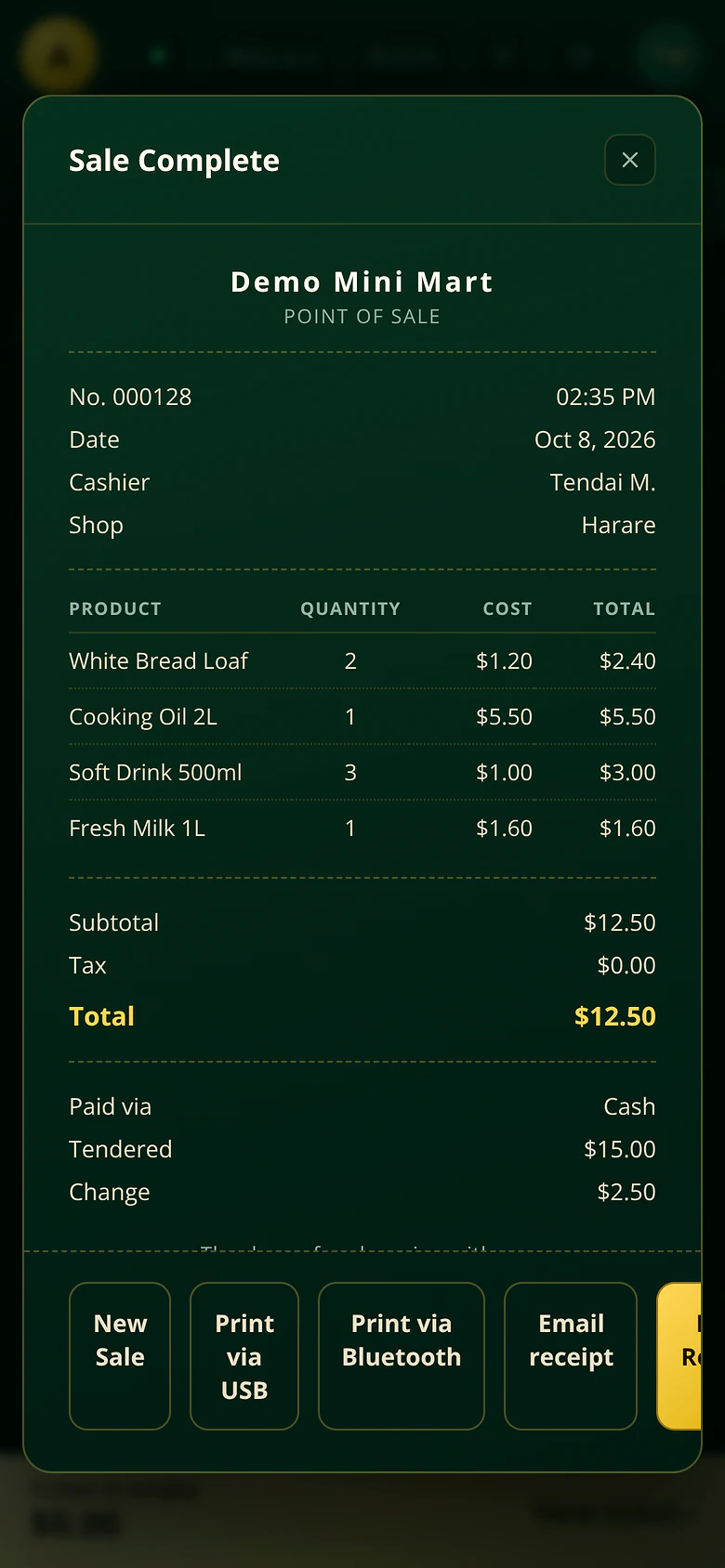
  • Print by browser, USB printer or Bluetooth printer, or email a receipt
  • Your business name, header, footer and logo on every receipt
  • Refund item by item, with tax and discount reversed in proportion
  • Today's Sales at the till for reprints and refunds
A completed sale on a phone: the AUREUM receipt with items, total, payment method and print and email options.
04 / BEHIND THE COUNTEREverything else it does

And everything
behind the counter.

Shifts & Cash Control

  • Every cashier works in their own shift with an opening float
  • Count the drawer at close and see any difference
  • A printable shift report and a closed-shifts list for managers
  • Managers can close a shift a cashier left open

Inventory & Products

  • Products with codes, barcodes, categories and pictures
  • Stock kept separately for each shop
  • Import products from any Excel or CSV file
  • Find free-to-use product pictures from inside the form

Purchasing & Stock Movements

  • Suppliers and purchase orders (downloadable as PDF)
  • Goods received notes with expiry dates
  • Stock adjustments for counts, damage and corrections
  • Transfer stock between your shops

Multi-Shop Management

  • Run several shops from one account
  • View all shops together or one at a time
  • Assign staff to a shop
  • Each shop has its own stock, shifts and sales

Customers & Employees

  • Customer records with New, Regular and VIP segments
  • Employees with roles and PIN sign-in
  • A calendar to record employee hours
  • Settings that limit what cashiers can do

Settings & Payments

  • Your tax rate, with prices inclusive or exclusive of tax
  • Choose which payment buttons show at the till
  • Optional second currency with an exchange rate
  • AUREUM records how each sale was paid. It does not process card or mobile payments — use your own terminal alongside.

Help & Data Safety

  • AUREUM Bot answers how-to questions inside the app
  • Send a support ticket and read the reply in the app
  • Saves that would delete data are refused
  • Restore points for your records
LET'S GET STARTED14-Day Free Trial

Let's put
your shop to work.

Create your account and try every feature.
Every shop is included while you try AUREUM.

Start free trial
Free trial